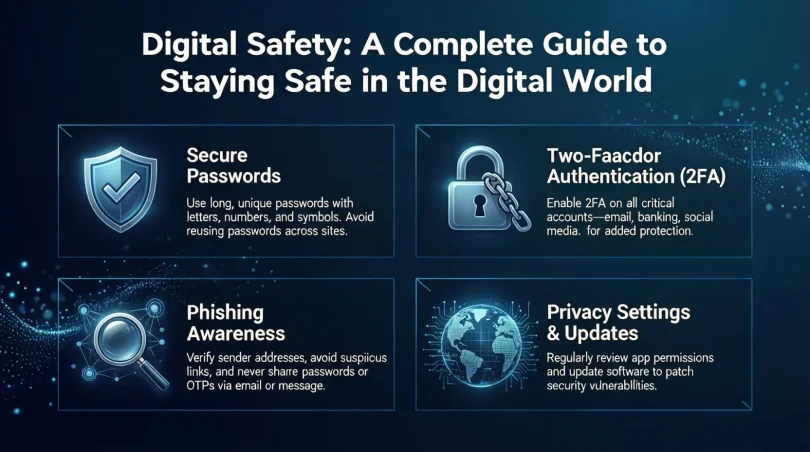

Introduction
Digital Safety is no longer an optional skill. It has become a basic life requirement in today’s connected world. From online learning and remote work to shopping, banking, and social media, almost every daily activity now happens on digital platforms. As a result, people of all ages face new risks that did not exist a few years ago. Hackers, scammers, fake websites, and data leaks are common problems that affect millions every day.
Digital Safety means protecting your personal information, devices, and online identity from misuse. It helps you stay secure while using the internet, mobile apps, email, and social networks. Many beginners believe that only large companies or famous people are targeted. In reality, ordinary users are often easier targets because they lack basic awareness.
This guide is written in simple English for beginners and intermediate readers. It explains how online threats work and how small actions can make a big difference. You will learn practical steps that can be applied immediately without technical knowledge. Examples are included to make ideas clear and easy to remember.
By understanding Digital Safety, you gain control over your online life. You learn how to browse confidently, communicate safely, and protect your digital future. This article will walk you through concepts, benefits, risks, common mistakes, and expert tips in a clear and friendly way.
What is Digital Safety?
Digital Safety refers to the practices and habits used to protect yourself while using digital devices and online services. It covers computers, smartphones, tablets, and any platform connected to the internet.
At its core, Digital Safety focuses on protecting personal data. This includes passwords, photos, messages, financial details, and browsing activity. When this information falls into the wrong hands, it can be misused for fraud, identity theft, or harassment.
Digital Safety also involves safe behavior. This means knowing which links to click, which apps to trust, and how to recognize suspicious activity. It is not only about technology but also about awareness and decision making.
For example, using a strong password is a technical step. Avoiding unknown email attachments is a behavioral step. Both are equally important.
In simple terms, Digital Safety helps you use the internet without fear. It gives you the knowledge to enjoy digital tools while reducing risks.
Why is Digital Safety Important?
The importance of Digital Safety grows every year as online activity increases. More services require accounts, passwords, and personal details.
One major reason Digital Safety matters is financial protection. Online banking and shopping are convenient, but unsafe practices can lead to stolen money or fake transactions.
Another reason is privacy. Personal photos, conversations, and location data can be exposed if accounts are compromised. This can damage relationships and personal reputation.
Digital Safety also protects mental well being. Online harassment, scams, and fake news can cause stress and confusion. Knowing how to handle these issues creates confidence.
For students and professionals, Digital Safety safeguards academic and work data. Losing files or access to accounts can interrupt studies or careers.
In short, Digital Safety protects your money, privacy, reputation, and peace of mind.
Detailed Step-by-Step Guide
Step 1: Create Strong Passwords
Passwords are the first line of defense.
Use a mix of letters, numbers, and symbols. Avoid using names, birthdays, or simple words.
Each account should have a unique password. This prevents multiple accounts from being hacked at once.
Consider writing passwords in a secure offline place if memory is an issue.
Step 2: Enable Two Factor Authentication
Two factor authentication adds an extra verification step.
Usually, it sends a code to your phone or email. Even if someone gets your password, they cannot log in without this code.
Enable it for email, social media, and banking accounts.
Step 3: Keep Software Updated
Updates fix security weaknesses.
Always update your operating system, apps, and browsers. Delaying updates leaves devices vulnerable.
Enable automatic updates when possible.
Step 4: Be Careful with Links and Emails
Scam emails often look real.
Check the sender address carefully. Do not click links from unknown sources.
If an offer sounds too good to be true, it usually is.
Step 5: Use Secure Networks
Public Wi Fi can be risky.
Avoid accessing sensitive accounts on public networks. If necessary, log out after use.
At home, protect Wi Fi with a strong password.
Step 6: Control Privacy Settings
Most platforms allow privacy customization.
Review settings regularly. Limit who can see your posts, profile, and contact details.
This reduces exposure to strangers.
Step 7: Back Up Important Data
Data loss can happen anytime.
Back up files to an external drive or secure cloud storage. Regular backups prevent permanent loss.
Benefits of Digital Safety
- Protects personal and financial information
- Reduces risk of scams and fraud
- Improves online confidence
- Prevents identity theft
- Keeps devices running smoothly
- Supports safe communication
- Protects family members online
Disadvantages / Risks

- Requires time to learn and apply
- Can feel overwhelming at first
- Overconfidence may lead to mistakes
- Constant updates demand attention
- False sense of security if basics are ignored
Common Mistakes to Avoid
Many users reuse the same password everywhere. This increases risk significantly.
Another mistake is ignoring software updates. Small delays can cause big problems.
Sharing too much personal information online is also risky. Oversharing helps scammers.
Some people trust every message from known contacts. Accounts can be hacked, so always stay alert.
Lastly, avoiding learning new safety practices leaves users unprepared for evolving threats.
FAQs
What is the biggest digital safety threat today?
The biggest threat is phishing scams. They trick users into sharing passwords or personal data by pretending to be trusted sources.
Can beginners manage digital safety easily?
Yes. By following basic steps like strong passwords and careful browsing, beginners can stay safe without technical skills.
Is antivirus software enough?
Antivirus software helps, but it is not enough alone. Safe habits and awareness are equally important.
How often should passwords be changed?
Passwords should be changed every few months or immediately after any suspected breach.
Are mobile devices at risk too?
Yes. Smartphones store personal data and are common targets. They need the same protection as computers.
Does digital safety protect children online?
Yes. With proper settings, supervision, and education, children can use the internet more safely.
Expert Tips & Bonus Points
Use a password manager to store credentials securely.
Regularly review account activity for unusual behavior.
Log out of accounts on shared devices.
Avoid downloading apps from unknown sources.
Educate family members about basic safety rules.
Stay updated with new online threats and trends.
Conclusion
Digital Safety is a long term commitment, not a one time task. As technology evolves, so do online risks. However, this does not mean users should feel afraid. With the right knowledge and habits, the digital world can be explored safely and confidently.
By applying simple steps such as strong passwords, regular updates, and cautious browsing, anyone can reduce risks significantly. Awareness is the most powerful tool. When users understand how threats work, they are less likely to fall victim.
Digital Safety also creates independence. You no longer rely on others to fix problems after damage is done. Instead, you prevent issues before they happen. This saves time, money, and stress.
For beginners, starting small is perfectly fine. Even one improvement makes a difference. For intermediate users, refining habits and staying informed adds extra protection.
In the end, Digital Safety supports a balanced digital life. It allows you to enjoy technology while protecting what truly matters. With consistency and awareness, staying safe online becomes a natural part of everyday life.