
Introduction
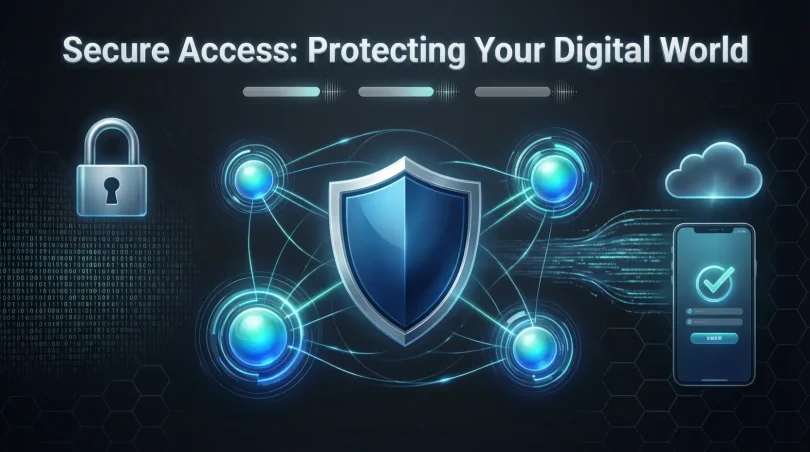
In today’s digital world, almost everything we do relies on technology—whether it’s online banking, cloud storage, remote work, or social media. With this convenience comes risk: unauthorized users and cybercriminals are constantly looking for ways to access sensitive information. This is where secure access becomes essential. Secure access ensures that only authorized people or devices can reach your systems, applications, or data, keeping your digital environment safe.
Many people think secure access is just about passwords, but it’s much more than that. It combines strong authentication methods, access controls, and monitoring tools to protect your information. For businesses, secure access safeguards customer data, financial records, and intellectual property. For individuals, it keeps personal accounts, photos, and financial information secure.
Implementing secure access might seem complicated at first, but even simple steps like using strong passwords, enabling multi-factor authentication, and monitoring user activity can make a big difference. By understanding secure access, you not only prevent unauthorized access but also build trust, maintain compliance with regulations, and reduce the risk of cyber threats.
This guide will walk you through what secure access is, why it is important, how to set it up step by step, and the benefits and risks involved. Whether you are a beginner or have some technical knowledge, you will gain practical tips to protect your digital life effectively.
What is Secure Access?
Secure access refers to the practice of ensuring that only authorized users or devices can reach specific systems, networks, applications, or data. It acts as a gatekeeper, preventing unauthorized entry while allowing legitimate users to work efficiently.
At its core, secure access combines authentication (verifying the user’s identity) and authorization (granting the correct level of permissions). This can include passwords, biometric scans, security tokens, and other verification methods. Beyond user credentials, secure access often integrates network security policies, firewalls, and encrypted communication to minimize vulnerabilities.
Modern secure access solutions are designed to handle multiple environments, from corporate intranets and cloud systems to personal devices. They also often feature monitoring and logging tools to detect unusual activity, ensuring quick responses to potential breaches. In essence, secure access forms the backbone of digital safety for both personal and professional contexts.
Why is Secure Access Important?
The importance of secure access cannot be overstated in today’s connected world. Here are the main reasons why it matters:
- Protects Sensitive Data: Secure access ensures personal, financial, and business information remains confidential. Without proper controls, hackers can exploit vulnerabilities to steal sensitive data.
- Prevents Unauthorized Access: By limiting access only to authorized users, organizations and individuals can reduce the risk of internal and external threats.
- Supports Compliance: Many industries, including healthcare, finance, and education, must comply with data protection regulations. Secure access helps meet these legal and regulatory requirements.
- Maintains Trust: Users and clients are more likely to trust platforms that implement robust access controls, leading to stronger relationships and reputations.
- Reduces Cybersecurity Risks: Secure access mitigates the risks associated with phishing, malware, and ransomware attacks by controlling who can access sensitive systems.
- Enables Remote Work Safely: In the era of remote work, secure access allows employees to work from anywhere without compromising data security.
Without secure access, individuals and organizations expose themselves to financial losses, data breaches, and even identity theft. It is an essential aspect of any cybersecurity strategy.
Detailed Step-by-Step Guide to Secure Access
Implementing secure access requires a structured approach. Here’s a step-by-step guide to help you set it up effectively.
Step 1: Assess Your Needs
Before implementing secure access measures, identify what data, systems, and applications need protection. Ask yourself:
- Who needs access?
- What level of access is required?
- Which devices will connect to the system?
Understanding your requirements ensures the solution fits your environment and reduces unnecessary complexity.
Step 2: Implement Strong Authentication
Authentication is the first line of defense in secure access. Consider the following:
- Passwords: Use complex passwords with a mix of letters, numbers, and symbols. Avoid easily guessable passwords.
- Multi-Factor Authentication (MFA): Require more than one form of verification, such as a password plus a code sent to a mobile device.
- Biometric Verification: Fingerprints, facial recognition, and retina scans provide an additional layer of security.
- Single Sign-On (SSO): Simplifies user access by allowing one secure login for multiple applications while maintaining strong security.
Step 3: Establish Access Controls
Access controls determine what resources a user can reach and what actions they can perform. Key components include:
- Role-Based Access Control (RBAC): Assign permissions based on a user’s role within the organization.
- Least Privilege Principle: Grant users the minimum access needed to perform their tasks.
- Time-Based Access: Limit access to specific hours or timeframes to reduce exposure.
Step 4: Secure Devices and Endpoints
Even the strongest authentication fails if devices are compromised. Protect endpoints by:
- Installing antivirus and anti-malware software
- Enforcing device encryption
- Using VPNs (Virtual Private Networks) for secure remote connections
- Updating software regularly to patch vulnerabilities
Step 5: Monitor and Audit Access
Continuous monitoring helps detect suspicious activity before it becomes a breach. Steps include:
- Activity Logs: Keep records of login attempts and system access.
- Alerts: Set up notifications for unusual login patterns or failed access attempts.
- Regular Audits: Review user access rights periodically to ensure they are still appropriate.
Human error is a common security gap. Provide training to users on:
- Recognizing phishing attacks
- Creating strong passwords
- Reporting suspicious activities
Well-informed users are less likely to compromise secure access protocols.
Step 7: Use Advanced Security Tools
Consider implementing advanced solutions like:
- Identity and Access Management (IAM) systems
- Zero Trust Network Access (ZTNA)
- Conditional Access Policies based on device health, location, and risk level
These technologies add layers of protection to ensure secure access is maintained even in complex environments.
Benefits of Secure Access
Secure access provides numerous advantages for both individuals and organizations:
- Enhanced Data Protection: Safeguards sensitive information from unauthorized users.
- Reduced Cybersecurity Risks: Limits exposure to phishing, malware, and ransomware attacks.
- Regulatory Compliance: Meets legal standards like GDPR, HIPAA, or ISO 27001.
- Improved Operational Efficiency: Employees access necessary systems without delays while security is maintained.
- Remote Work Enablement: Secure access solutions allow safe connectivity for remote teams.
- Audit Trails: Tracks who accessed what and when, supporting accountability.
- Customer Trust: Users feel confident sharing data when systems are secure.
Disadvantages / Risks
While secure access is essential, some challenges and risks should be considered:
- Complexity: Implementing multi-layered security can be technically demanding.
- Cost: Advanced tools like IAM or ZTNA may require significant investment.
- User Frustration: Strict security measures can slow workflows if not implemented carefully.
- Maintenance: Continuous updates, monitoring, and audits are necessary.
- Potential Lockouts: Users may be temporarily denied access due to misconfigurations or failed MFA attempts.
- Over-Reliance on Technology: Security is only effective when combined with proper policies and user awareness.
Common Mistakes to Avoid
To ensure secure access is effective, avoid these common mistakes:
- Weak Passwords: Using simple or repeated passwords increases the risk of breaches.
- Ignoring MFA: Multi-factor authentication significantly enhances security but is often skipped.
- Excessive Permissions: Granting users more access than necessary creates vulnerabilities.
- Neglecting Updates: Outdated software can be exploited by cybercriminals.
- Insufficient Training: Users unaware of security practices are more likely to make mistakes.
- Poor Monitoring: Failing to monitor access activity can delay detection of breaches.
- Single Point of Failure: Relying on one authentication method leaves systems exposed if compromised.
FAQs About Secure Access
1. What is the difference between authentication and authorization?
Authentication verifies the identity of a user, while authorization determines what resources or actions the user is permitted to access. Both are essential components of secure access.
2. How does multi-factor authentication improve security?
MFA adds extra layers of verification, such as a password plus a mobile code or biometric scan. This reduces the chance of unauthorized access even if passwords are compromised.
3. Can secure access protect against phishing attacks?
Yes, while it cannot completely eliminate phishing, secure access measures like MFA, access policies, and user education significantly reduce the risk of successful attacks.
4. What is Zero Trust Network Access (ZTNA)?
ZTNA is a security model that assumes no user or device is inherently trusted. It requires continuous verification and limits access based on strict policies, improving overall security.
5. How often should I audit user access rights?
It’s recommended to review user permissions at least quarterly or whenever roles change to ensure only authorized personnel have access.
6. Is secure access only for businesses?
No, individuals can also benefit by protecting personal devices, cloud storage, and online accounts. Practices like strong passwords, MFA, and VPNs are applicable for personal use.
7. What are some common secure access tools?
Tools include Identity and Access Management (IAM) platforms, Single Sign-On (SSO) systems, VPNs, firewalls, and endpoint protection software.
8. How can remote workers stay secure?
By using VPNs, secure passwords, MFA, and company-approved devices, remote workers can safely access corporate resources without compromising security.
Expert Tips & Bonus Points
- Adopt a Layered Security Approach: Combine passwords, MFA, encryption, and monitoring for maximum protection.
- Regularly Update Policies: Security protocols must evolve with emerging threats.
- Use Strong Password Managers: They generate and store complex passwords safely.
- Educate Regularly: Conduct workshops and reminders to keep users security-conscious.
- Limit Third-Party Access: Only allow trusted applications and vendors to access systems.
- Test Your Security: Regularly perform penetration testing to uncover weaknesses.
- Backup Data: Secure access is critical, but backups protect against data loss from other risks.
Conclusion
Secure access is no longer optional; it is a necessity in today’s digital world. By controlling who can access data and systems, you protect sensitive information, ensure regulatory compliance, and build trust among users and clients. Implementing strong authentication, access controls, device security, and monitoring creates a robust security framework that reduces the risk of breaches.
While secure access comes with challenges like cost, complexity, and maintenance, the benefits far outweigh the drawbacks. Proper planning, user education, and adoption of advanced tools can make secure access manageable and effective. Whether for personal accounts or enterprise systems, understanding and implementing secure access protocols is the foundation of digital safety. By staying proactive and vigilant, you can safeguard your digital environment and enjoy the convenience of modern technology without compromising security.